Opening Preface:
Many EPM practitioners assume that connecting an advanced AI conversational interface to Oracle EPM Cloud requires building monolithic, custom web apps or deploying heavy middle-tier integration servers. They do not. By leveraging the Model Context Protocol (MCP) introduced by Anthropic, you can establish a secure, localized communication bridge that lets natural language models directly command your EPM environment.
The gap between a finance user asking conversational questions in a desktop app and an enterprise-grade Oracle EPM Cloud instance is where efficiency usually stalls. We have the data. We have standard REST protocols. What we are missing is a lightweight, standardized abstraction layer. This is not just an engineering manual; it is a blueprint for transforming Oracle EPM from a traditional menu-driven tool into an interactive, conversational ecosystem.
These demonstrations look incredible. But let us be honest – what is rarely shared is the most important part of the journey: how these solutions were built under the hood.
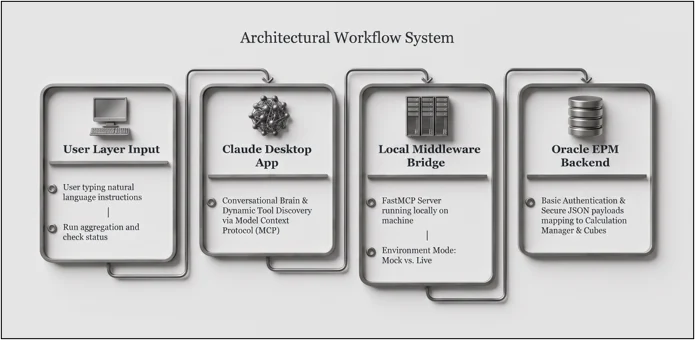
Phase 1: The Architecture (How it works)
- The User Interface (Claude Desktop): Acts as the conversational brain. Unlike a browser wrapper, the desktop app supports local MCP integrations, parsing user instructions like “Run the aggregation rule and tell me when it’s done” into structured tool calls.
- The Local Bridge (Python MCP Server): A lightweight Python script running locally on your machine using the mcp library. It exposes specific EPM capabilities as callable tools to Claude and handles authentication and request dispatching.
- The Communication Layer (Model Context Protocol): A standardized protocol that allows Claude to discover available tools, inspect their docstrings, and execute them dynamically without hardcoded application logic.
- The Target System (Oracle EPM Cloud REST APIs): Translates the incoming requests into standard HTTP calls (GET, POST, PUT) targeting dimensions, substitution variables, business rules, and data export endpoints.
.
Prerequisites Checklist
Complete this checklist before running any code. Skipping items here is the most common cause of debugging friction later:
- Claude Desktop Installed: Downloaded specifically from the official desktop client portal (claude.ai/download). Browser-based Claude does not support local MCP server loops.
- Python 3.10 or Newer: Verify your local environment by opening a terminal and typing python –version.
- Oracle EPM Cloud Tenant Access: Your target tenant URL, identity domain, username, and password.
- No Multi-Factor Authentication (MFA) on the Account: Crucial point. Basic Authentication protocols used in this base configuration cannot handle active MFA challenges. If your identity domain enforces MFA, an advanced OAuth 2.0 implementation is required.
- API Testing Utility: Postman or curl installed to validate raw connectivity before involving the AI layer.
Phase 2: The Step-by-Step Implementation
Step 1: Evaluate Your Oracle EPM REST API Connection First
The Code Snippet:

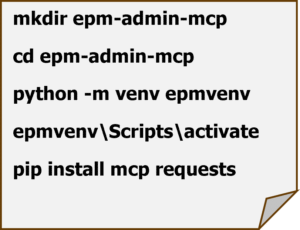
Step 2: Set Up Your Python Project
Open your terminal and initialize an isolated workspace directory:
Step 3: Write the MCP Server
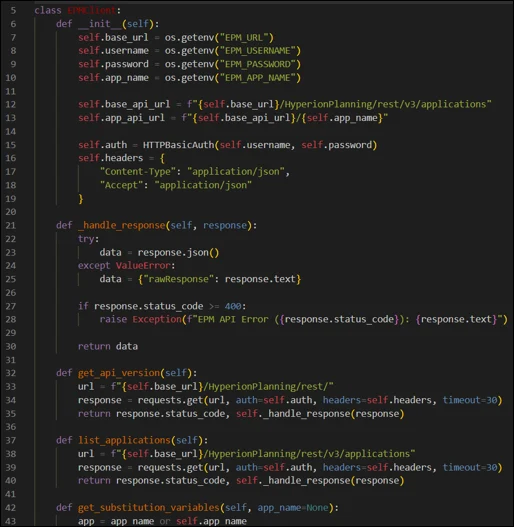
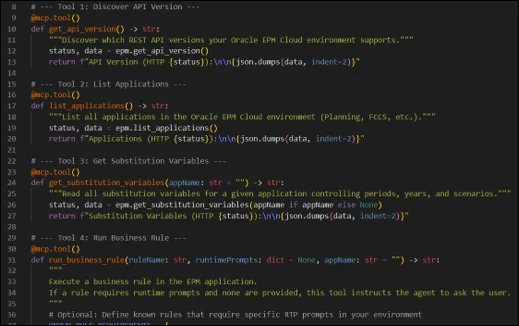
Separating Concerns into epm_client.py and server.py
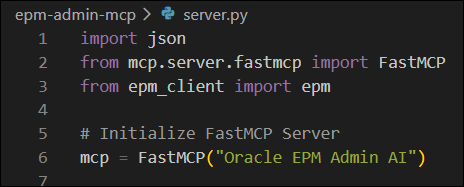
When building a clean, maintainable MCP architecture, it is best practice to separate your low-level API communication logic from your tool registration definitions. Instead of cramming everything into a single script, we split our code into two distinct files:
- The API Communication Layer (epm_client.py): Acts as your dedicated service layer. It handles communication, payload generation, or executing specific tool routines against the EPM environment.
- The MCP Tool Definitions (server.py): Acts as the MCP interface layer. It imports the client methods, sets up the FastMCP framework, handles default planning context overrides, and exposes the specific tools that Claude Desktop can discover and execute.
Step 4: Register the Server with Claude Desktop
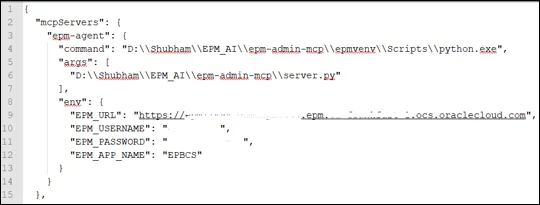
Open your configuration file located at %APPDATA%\Claude\claude_desktop_config.json and register the local server block using absolute paths. Note on Windows: make sure to use double backslashes (\\) for path routing.
Available Tools Reference
Think of these tools as the backend API shortcuts your AI assistant uses to talk to Oracle under the hood:
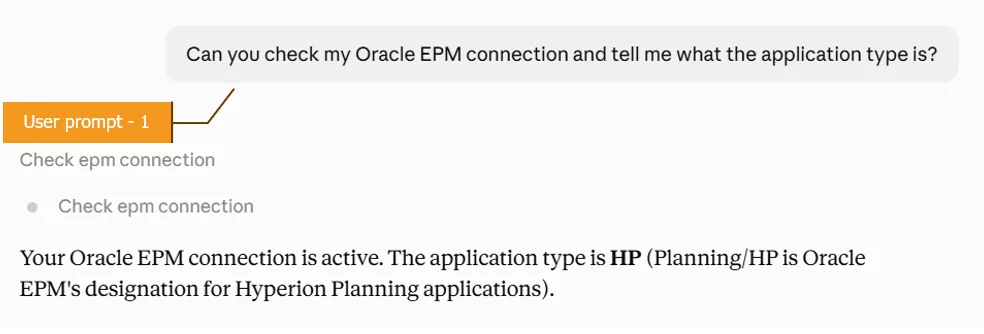
Step 4: Try it!
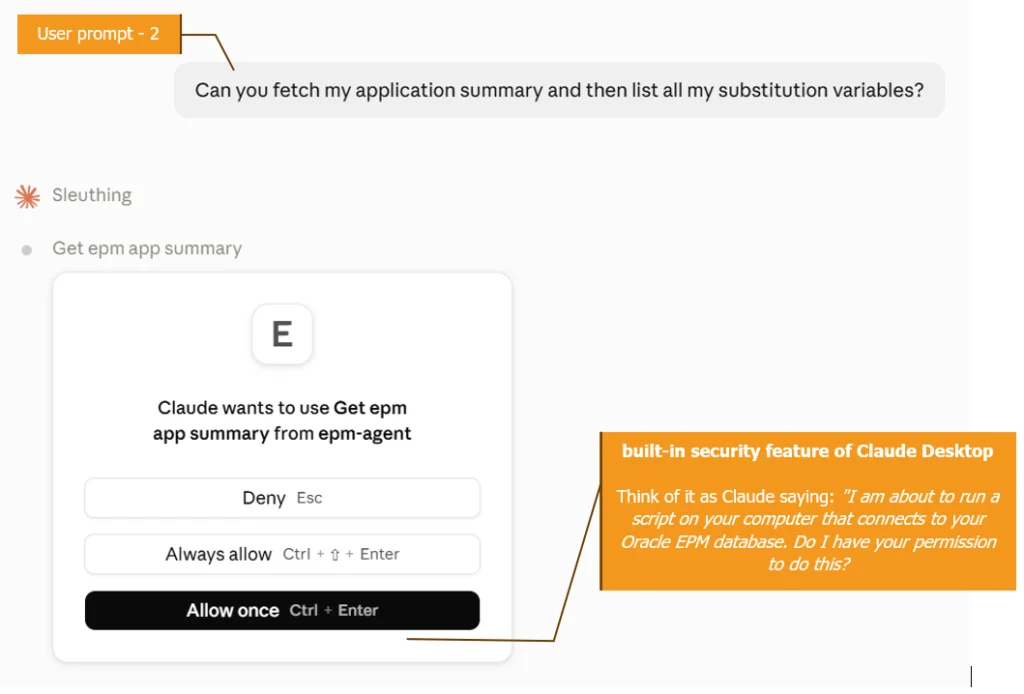
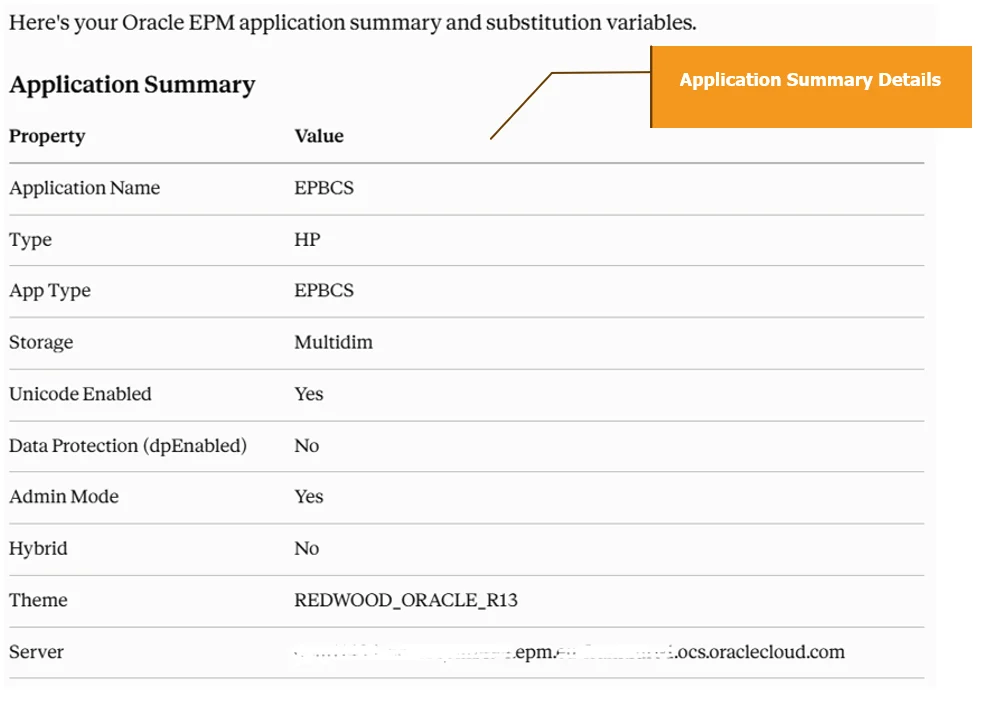
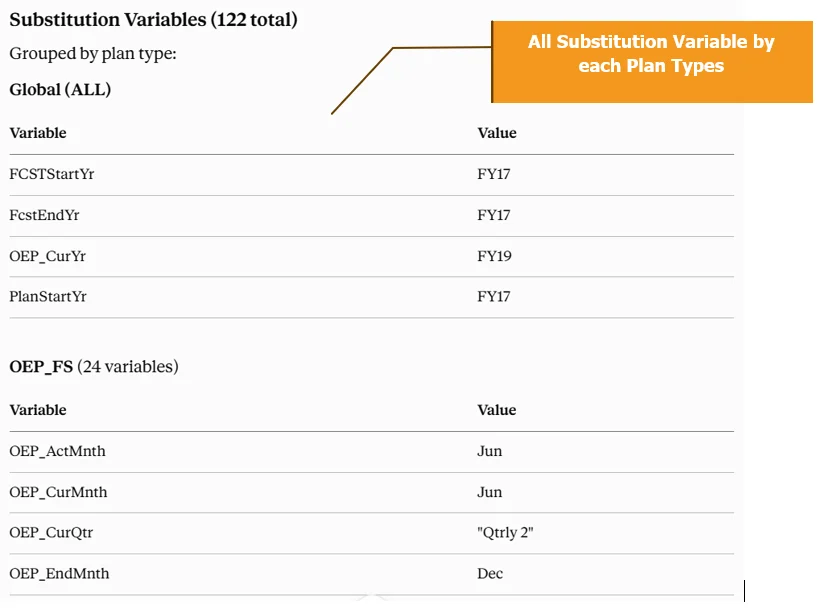


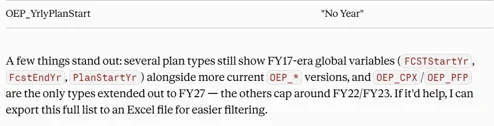
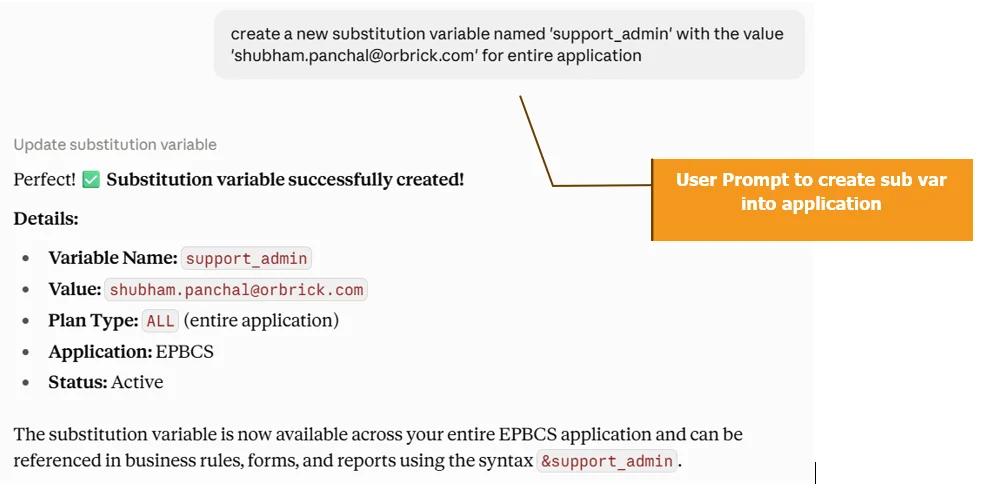
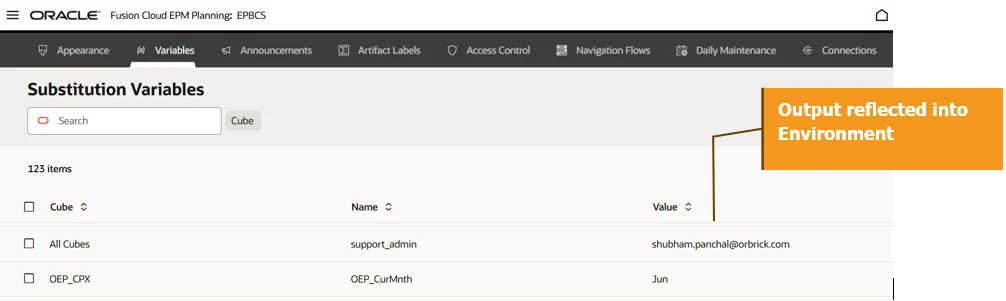
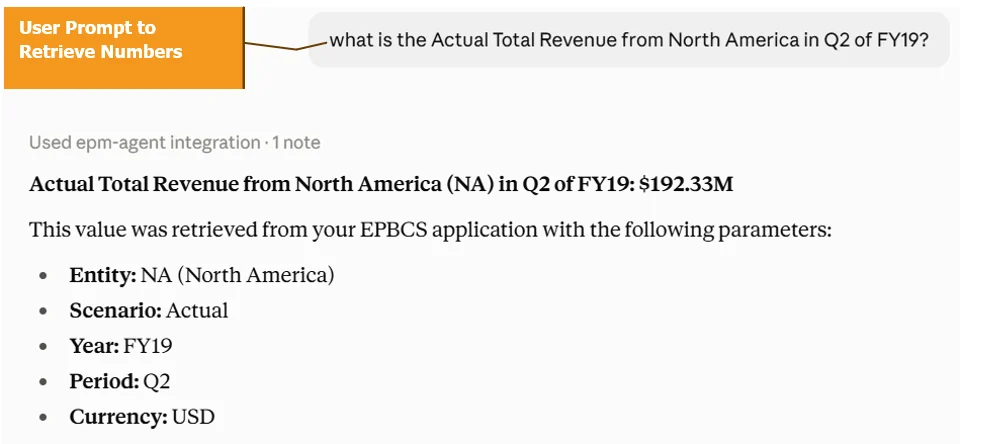
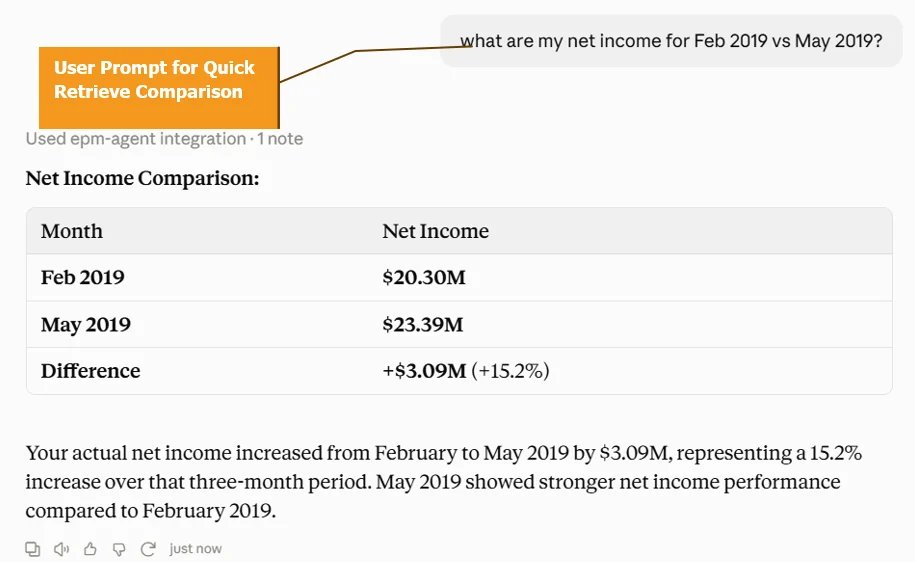
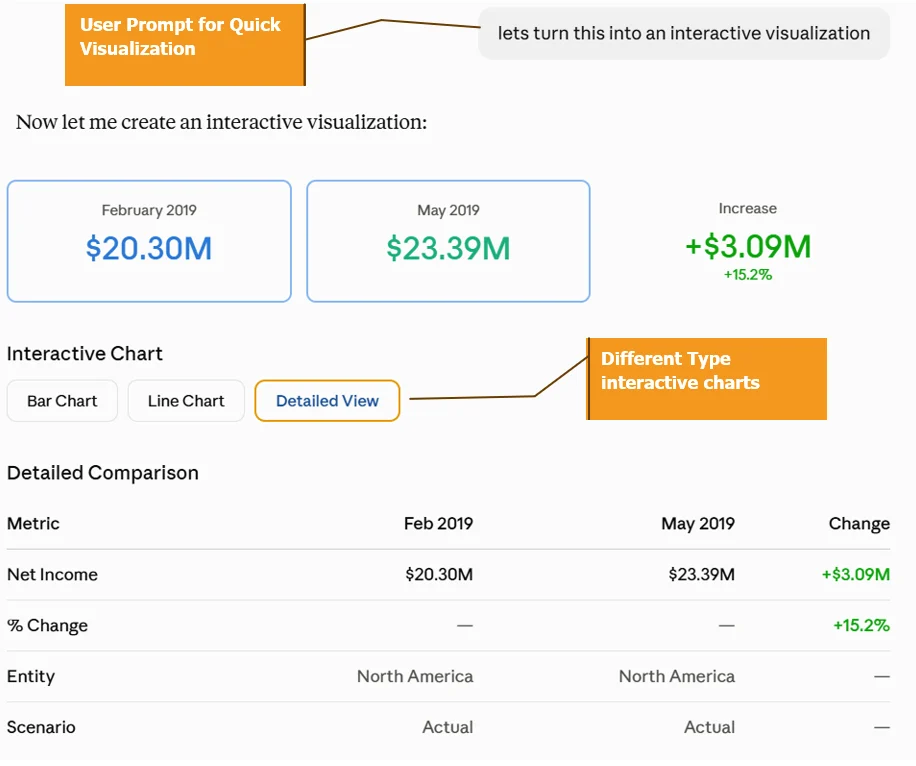
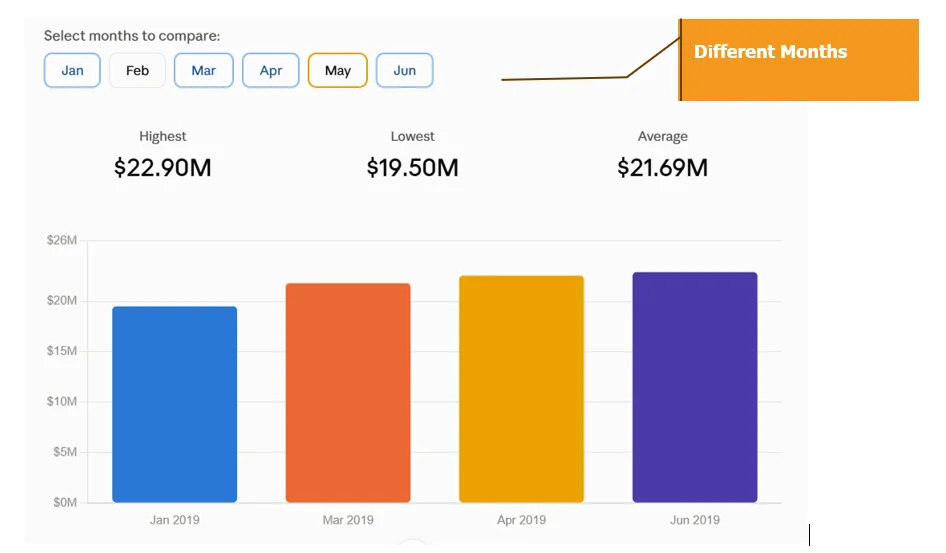
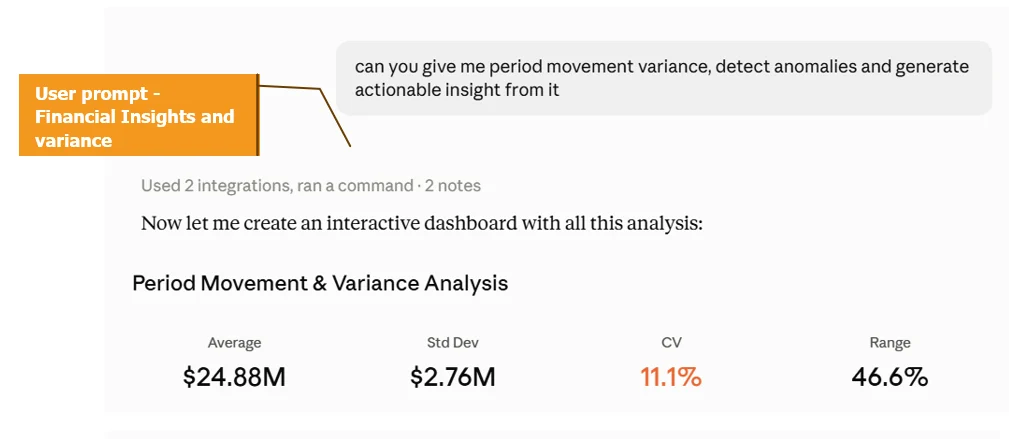
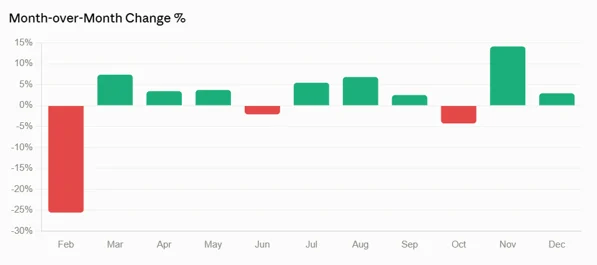
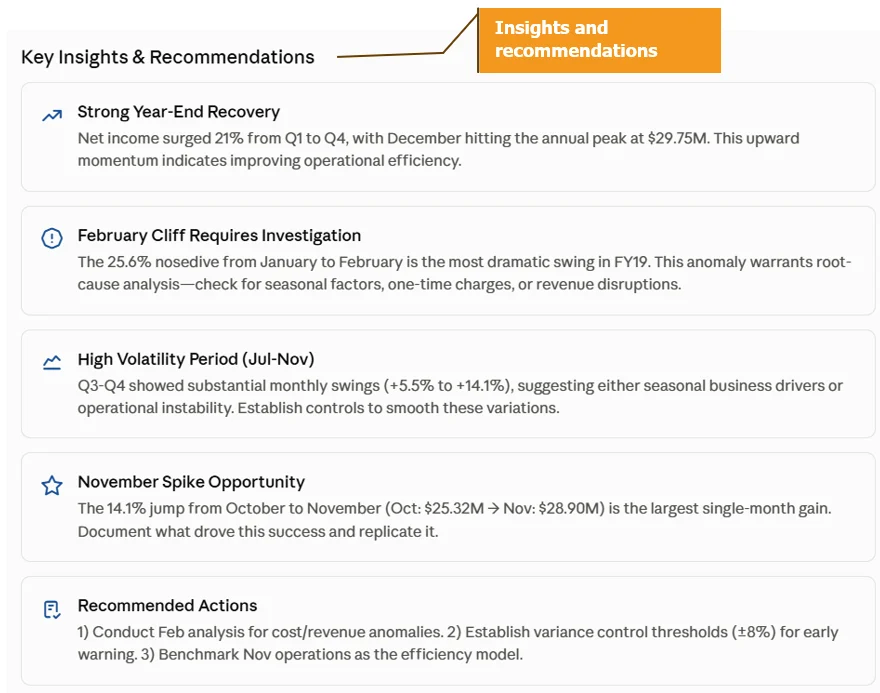
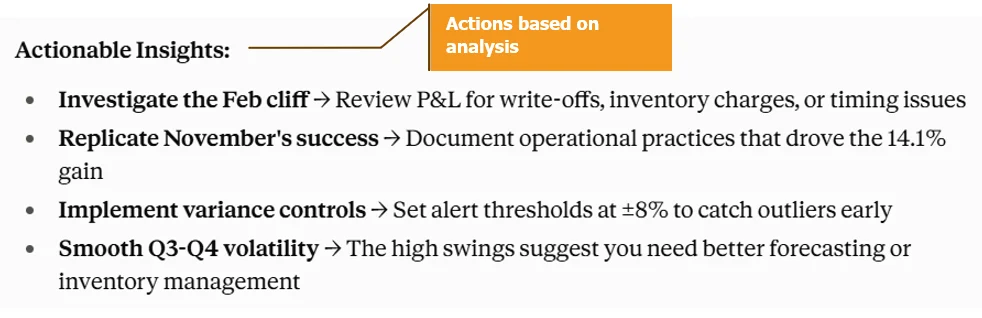
Phase 3: The Enterprise Value (Why build custom MCP tooling?)
- “End-to-End Workflow Automation”: Instead of switching contexts between Calculation Manager, Smart View, and web forms to run month-end checks, an administrator can execute sequential chains-such as validating substitution variables, triggering calculations, polling job completion status, exporting data slices, and rolling periods forward-entirely through a conversational prompt.
- “Extensibility”: Standard EPM interfaces are bounded by rigid UI layouts. An MCP architecture opens the door to custom tool creation, enabling developers to plug specialized validation scripts, metadata audits, or automated diagnostics directly into an AI assistant.
Orchestrating a Month-End Close Through Plain English
If you sit down with a finance manager during a close cycle, you will notice a very predictable sequence of repetitive, manual gates. They check the active calendar period, fire off aggregation scripts, stare at job monitors to see when calculations finish, pull slices into Excel to verify the numbers, roll the substitution variables forward, and double-check their work.
With our MCP bridge established, that entire operational routine can be executed directly inside a single conversational turn.
- Check current period: get_substitution_variables sees CurrMonth = “Oct”
- Run aggregation: run_business_rule with “OEP_FS_Roll Up”
- Background Polling: check_job_status with the returned job ID until a success signal is returned
- Validate the data: export_data_slice for Revenue, COGS, Net Income
- Period Roll-Forward: Once validated, it pushes an update using update_substitution_variable to shift CurrMonth seamlessly from “Oct” to “Nov”
- Final Audit Check: A quick final call to get_substitution_variables confirms the environment successfully locked in the new period state
Summary & Honest Reality Check
It is important to be completely transparent: this setup is not a polished, plug-and-play enterprise software product ready for broad corporate deployment overnight. While building a local Python MCP bridge proves how seamlessly natural language can command Oracle EPM, practitioners must navigate several critical operational realities before scaling it:
- Authentication & Technical Limits: Basic authentication prevents MFA-enabled accounts from working out of the box and local MCP piping can occasionally experience session hiccups requiring a client restart.
- Security & Governance Boundaries: While an LLM is strictly limited to your explicit tool definitions, production deployment requires strict role-based access controls and careful handling of data exposure.
- Operational Scope: The architecture is designed for targeted context grids and administrative jobs rather than massive, unconstrained data warehouse dumps.
The Bottom Line
This framework isn’t meant to replace core governance or security layers; rather, it serves as a powerful engineering blueprint. It demonstrates how developers can bridge modern generative AI clients with enterprise EPM environments securely on a local machine. By understanding these guardrails, handling credentials responsibly, and respecting API limits, you can turn a developer experiment into a genuinely useful, conversational launching pad for your financial planning workflows.